
Sign in with a passkey (Face ID, Touch ID)
A passkey replaces your password and the 6-digit code: your face or your fingerprint is enough.
Steps
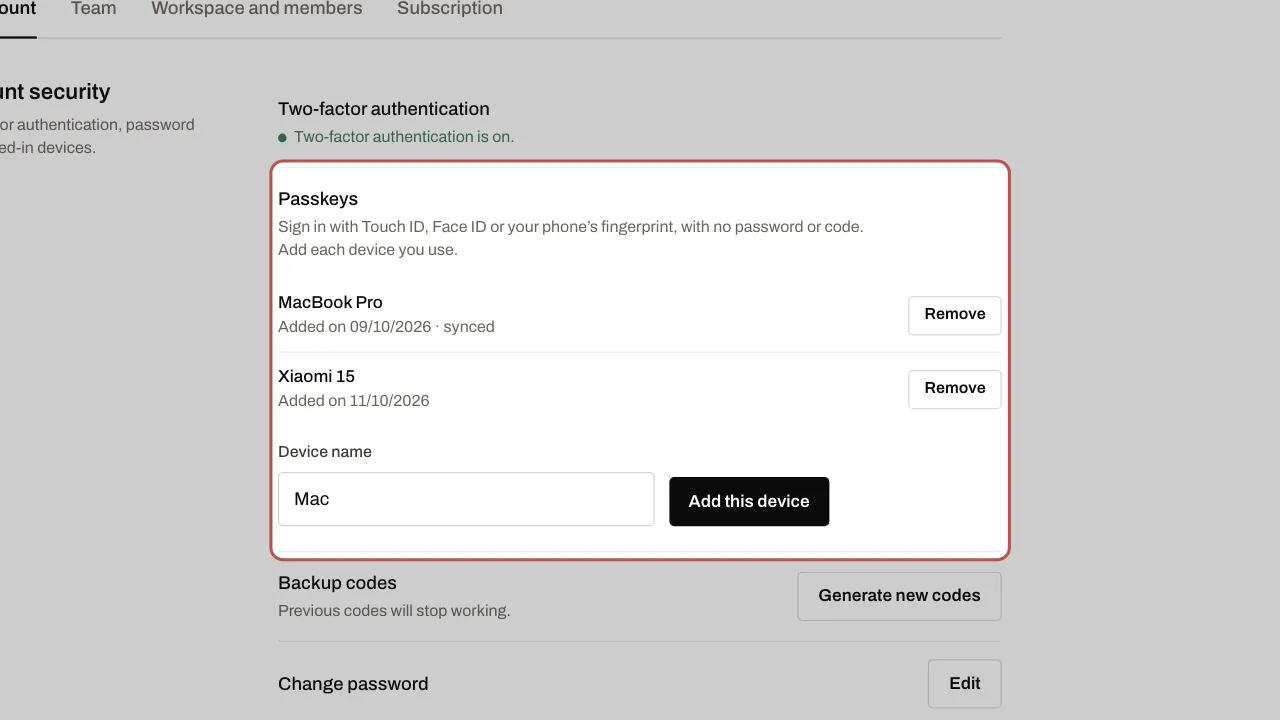
- Sign in as usual, then open Settings › My account › Passkeys within 10 minutes. After that, click Sign in again: you then come back to the page.
- Give the device a name and click Add this device, then confirm with Face ID, Touch ID or your fingerprint.
- Next time, click Sign in with a passkey on the sign-in page.
Related articles
- Turn on two-factor authentication Two-factor authentication protects your account: as well as your password, a six-digit code is requested when you sign in.