
A/B test and automatic follow-up
Two campaign options to get more replies: compare two templates before sending the better one, and follow up with people who did not react.
Steps
- In the draft, tick Compare two templates (you need at least two approved templates), then choose template B and its variables.
- Choose the share tested: 10, 20, 30 or 50% (with 20%, 10% receive A and 10% receive B), or the whole audience half and half, with no winner. Then the criterion (reads or replies) and the delay before the decision: 1, 2, 4, 8 or 24 hours.
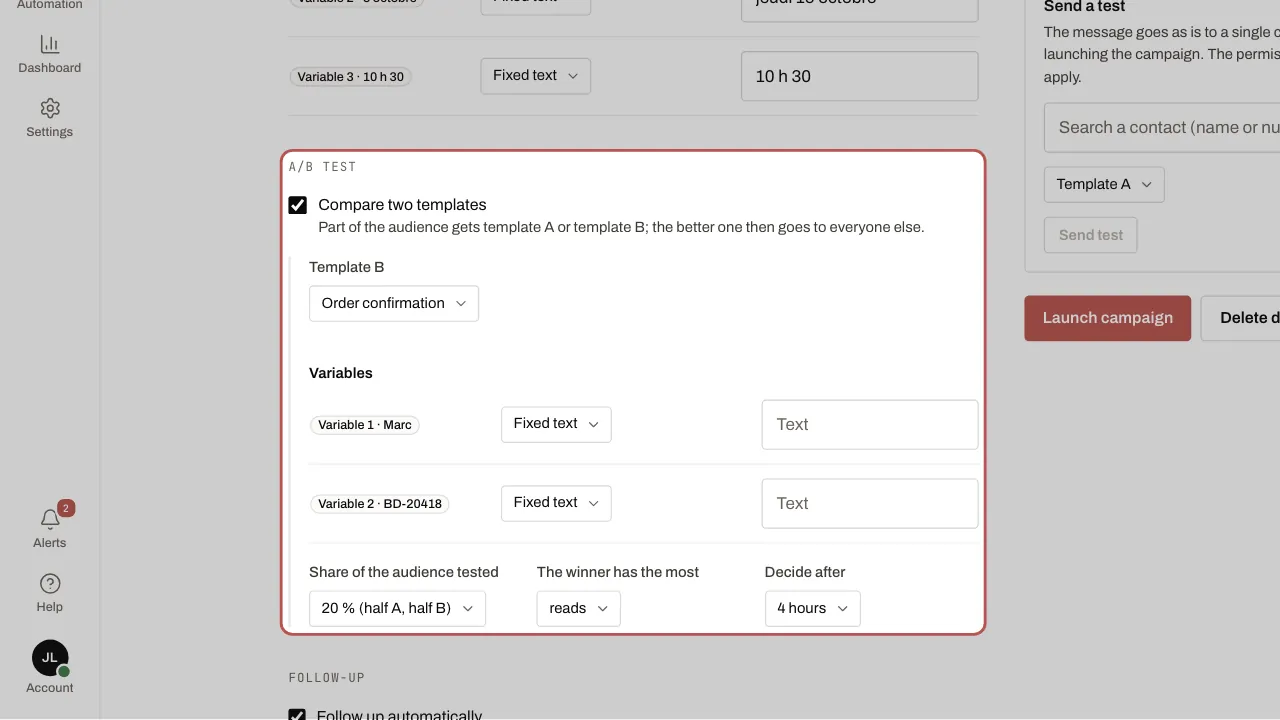
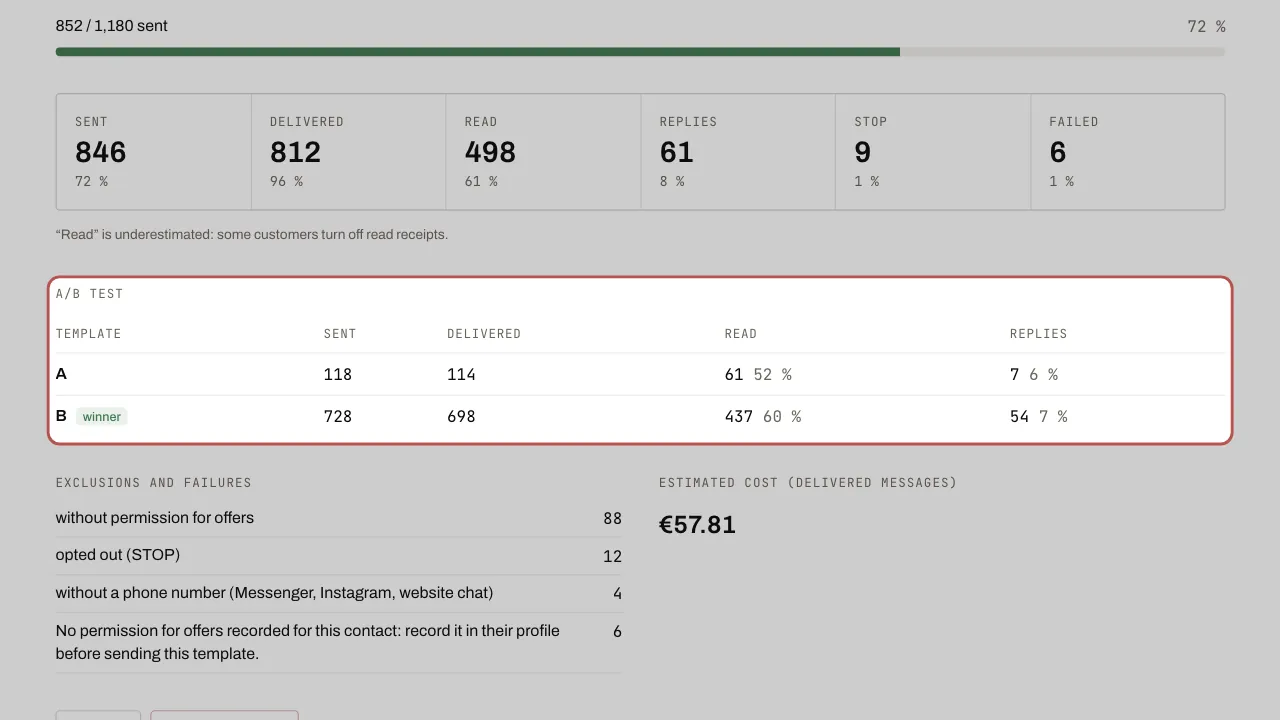
- At launch, the tested share goes out straight away. After the delay, the better template goes to everyone else. In a tie, A wins.
- To follow up, tick Follow up automatically: choose who to follow up with (people who did not read, or did not reply), the delay (24, 48 or 72 hours, or 7 days after the campaign ends) and the follow-up template.
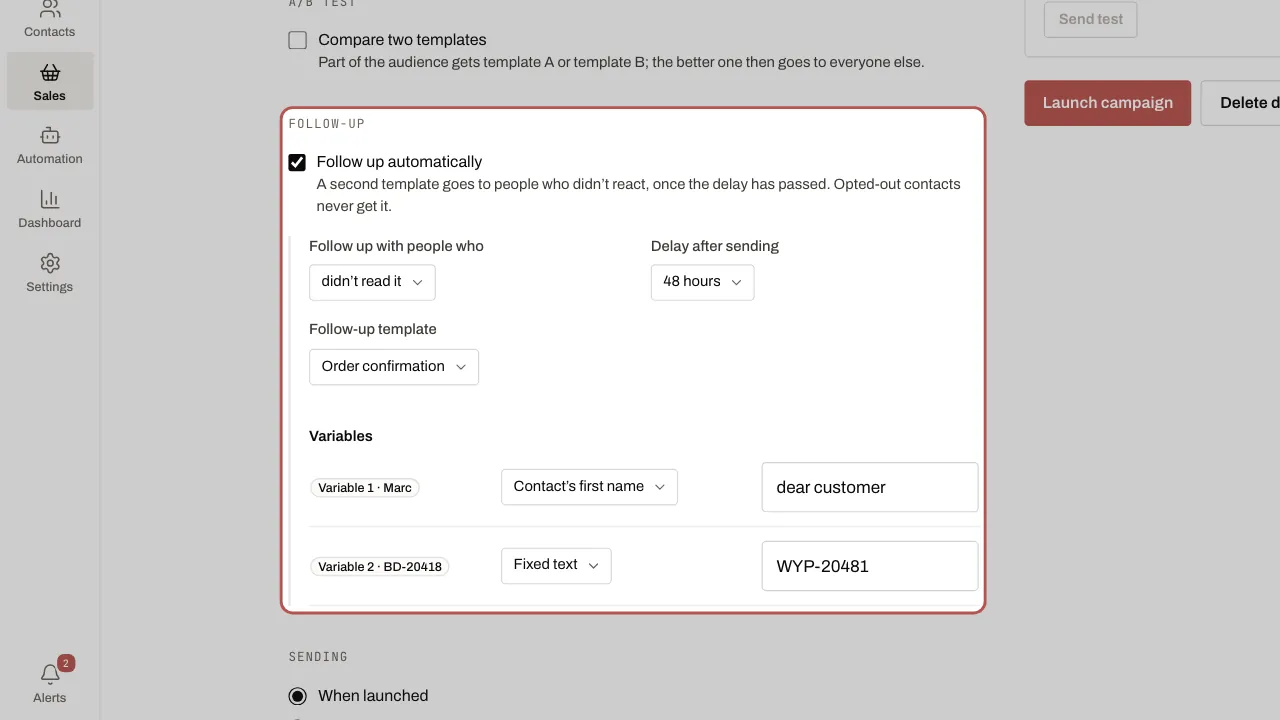
- Once the campaign has finished and the delay has passed, the follow-up goes out on its own. It appears in the list under the name “… · relance”, with its own results.
Related articles
- Send a WhatsApp campaign A campaign sends an approved template to the contacts in a segment. Replies arrive in the inbox, like a normal conversation.