
Install WYP.chat on your phone and get notifications
WYP.chat installs like an app, without going through an app store. Once installed, it opens full screen and alerts you to every new message, even when your phone is locked.
Steps
- On iPhone: open WYP.chat in Safari, at the same address as on your computer, and sign in. Tap the Share button, then “Add to Home Screen”. Then open WYP.chat from the new icon.
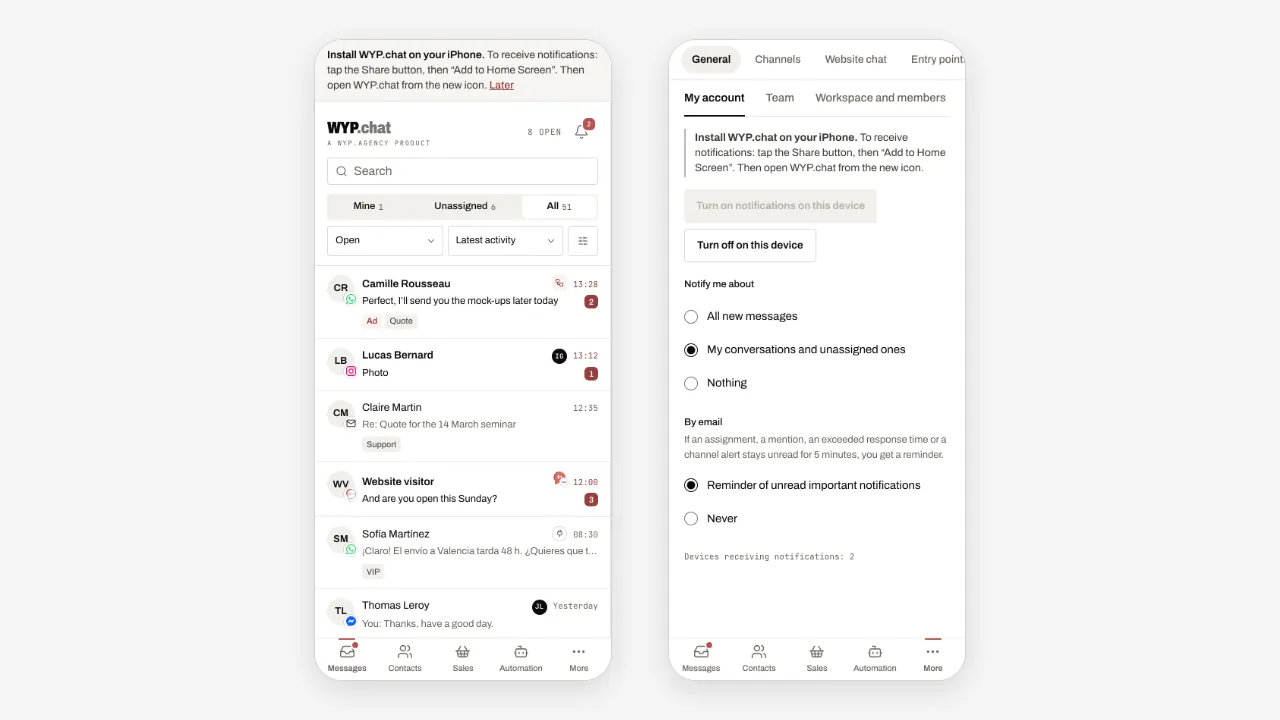
- On Android: open WYP.chat in Chrome, tap the ⋮ menu, then “Install app” (or “Add to Home screen”).
- In the installed app, tap More, then Settings: in the My account tab, Notifications section, and tap Turn on notifications on this device. Accept the phone’s request.
- Choose what makes your phone ring in Notify me about: All new messages, My conversations and unassigned ones, or Nothing.
- Under By email, keep Reminder of unread important notifications: an assignment, a mention, an exceeded response time or a channel alert left unread for 5 minutes also reaches you by email. Choose Never to receive nothing.
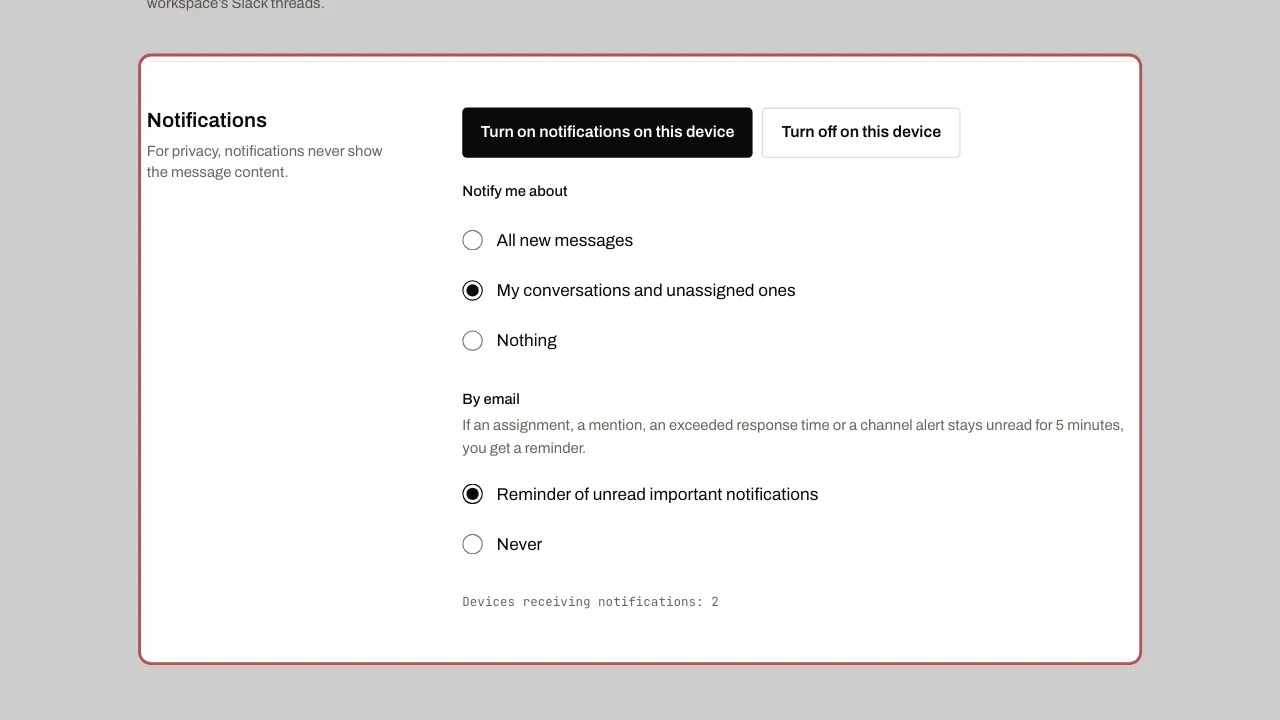
- Turn notifications on again on each device: phone, tablet, computer. The number of devices receiving notifications is shown below the section.
Related articles
- Invite your team Add your colleagues to the workspace and give each one a role. Users are unlimited on every plan.
- Organise the team: teams, response times, quick replies, tags Teams share out the conversations, response times prevent anything being forgotten, and quick replies and tags save everyone time.
- Get alerts in Slack WYP.chat sends its alerts to Slack: new conversation, response time almost exceeded, assignment, channel health.