
Connect Messenger, Instagram and your email address
Messages from your Facebook Page and your Instagram business account arrive in the same inbox as WhatsApp, and so do emails to your contact address, which you forward to WYP.chat. You reply from WYP.chat, on the customer’s channel.
Steps
- Open Settings › Channels and click Add a channel: the page scrolls down to the channel cards. Only the channels you can connect today have a card. The others are on the Coming soon: line below: click Notify me, then the ones you are waiting for.
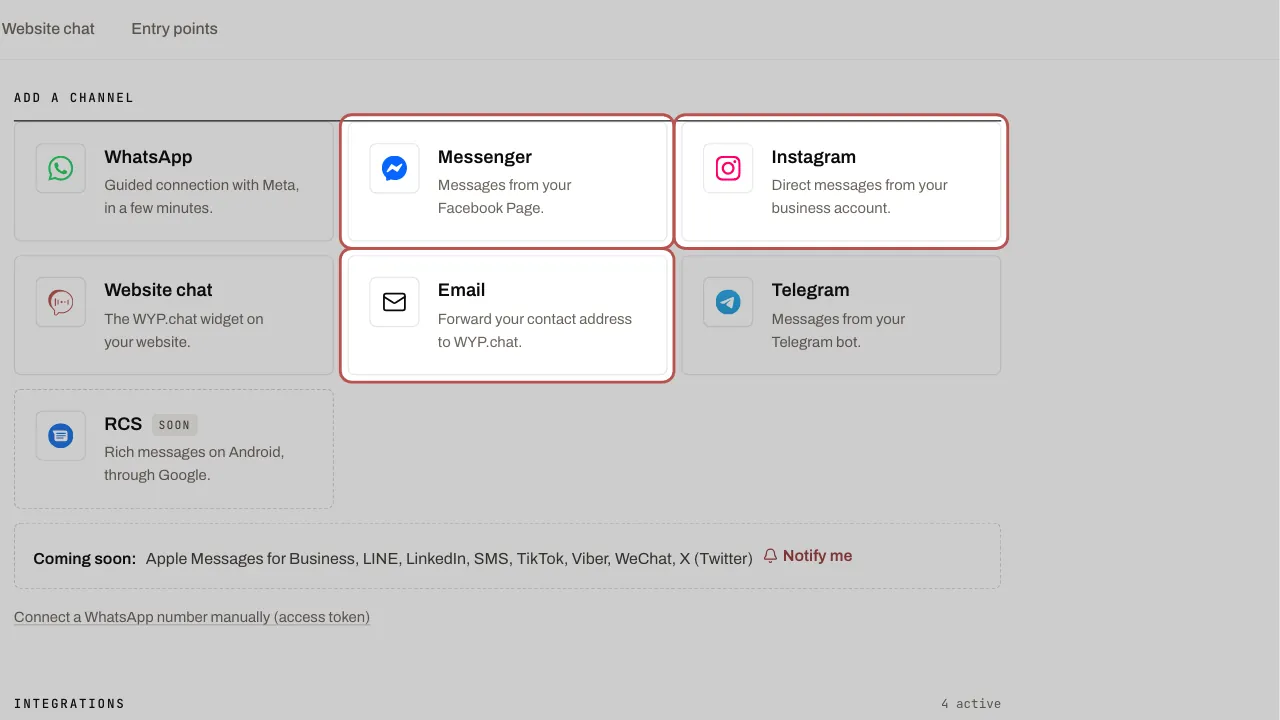
- For Messenger or Instagram: click the Messenger (or Instagram) card. The Messenger or Instagram form opens below the cards.
- In Channel to connect, choose Messenger or Instagram. Enter the Facebook Page ID (Facebook Page › About › Page transparency, or Business settings › Pages).
- Paste the Access token (system user). You create it in Meta Business settings, under System users: give this user access to the Page with messaging permissions, then generate the token. Add an Internal channel name (optional) and click Connect.
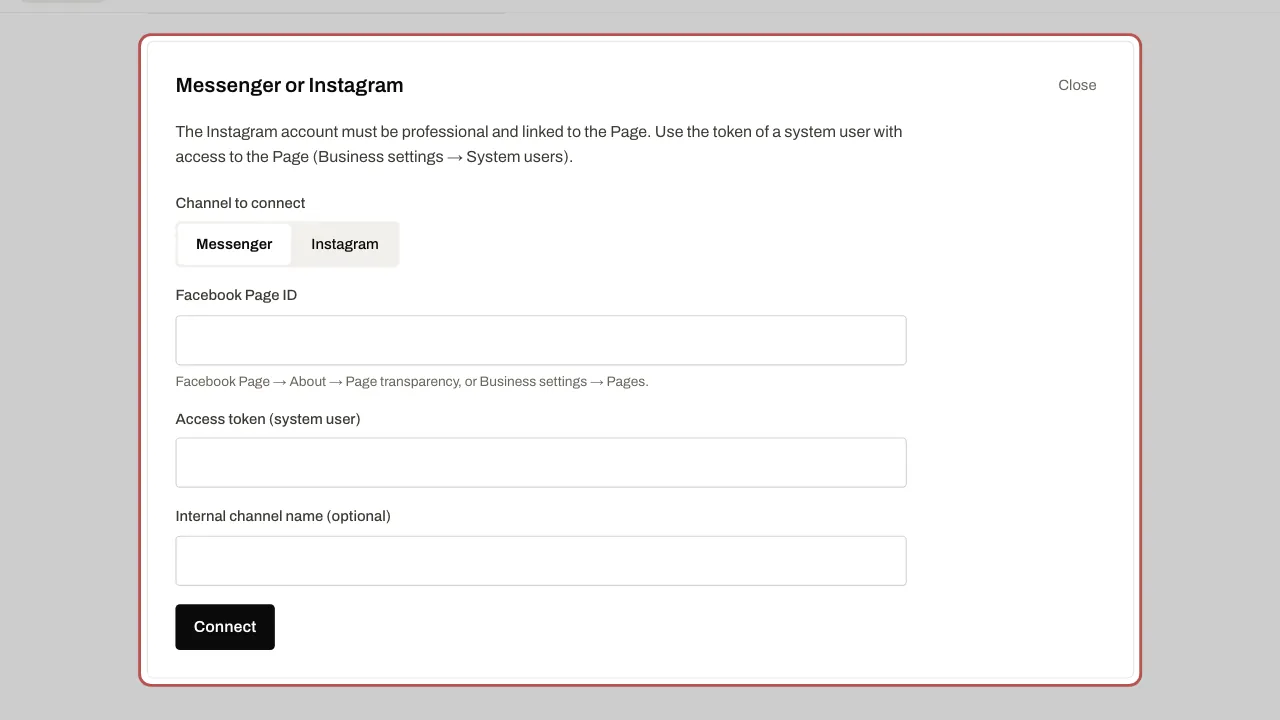
- Instagram goes through the Page: the account must be a business account linked to that Page. Once Messenger is connected, open its row in Connected and click Connect the linked Instagram account.
- For email: click the Email card. Enter the Name shown to customers (for example your shop’s name), then click Create the address.
- Copy the Receiving address with Copy the address. With your email provider (Gmail, Microsoft 365, OVH…), forward your contact address to it.
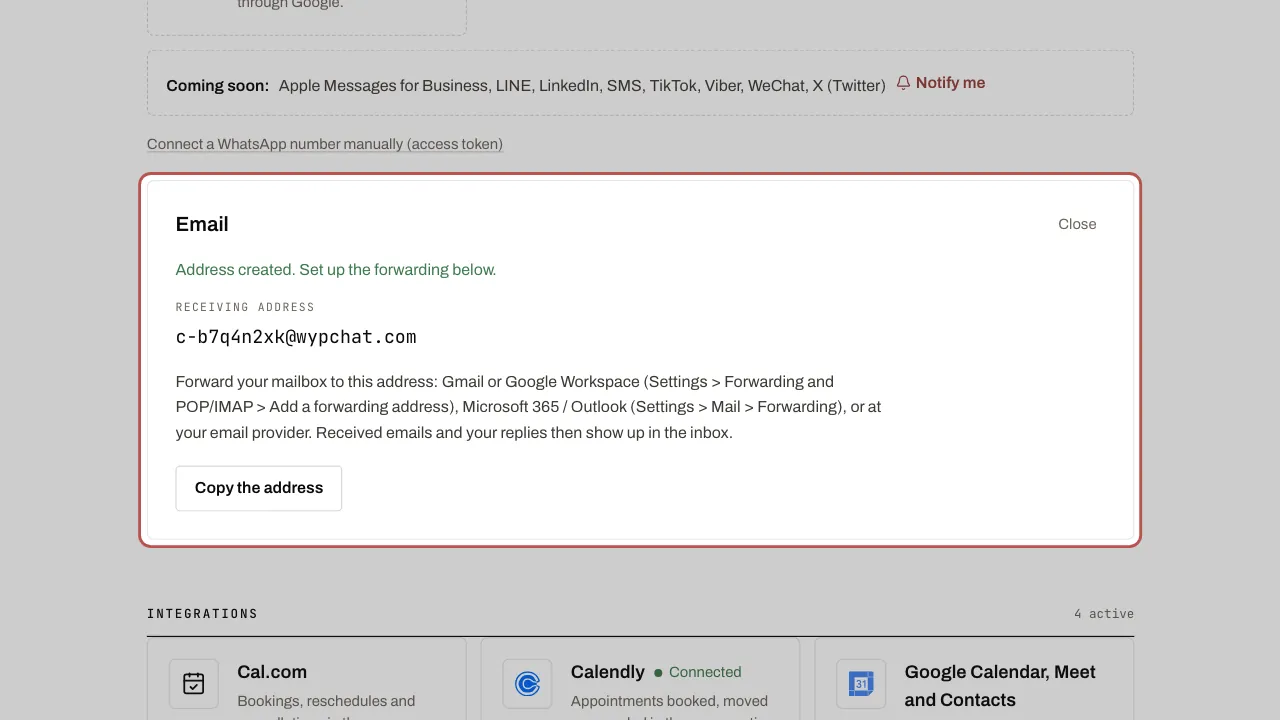
- Send yourself a test message: it appears in the inbox. Your replies go out under the name you chose, and customers’ replies come back into WYP.chat.
- Next to each reply sent by email, a double tick (Delivered) shows that the customer’s mail server accepted it; if it failed, the thread gives the reason. To send your replies from your own address (hello@your-business.com), follow Send from your own email address.