
Keep the WhatsApp Business app with WYP.chat
You can keep the WhatsApp Business app on your phone: the same number works both in the app and in WYP.chat, which is called coexistence.
What you keep
- The app on your phone, with the same number and the same name.
- Your WhatsApp channels, your catalogue, your status updates, your calls, your greeting and away messages, your quick replies and your labels, which you keep managing in the app.
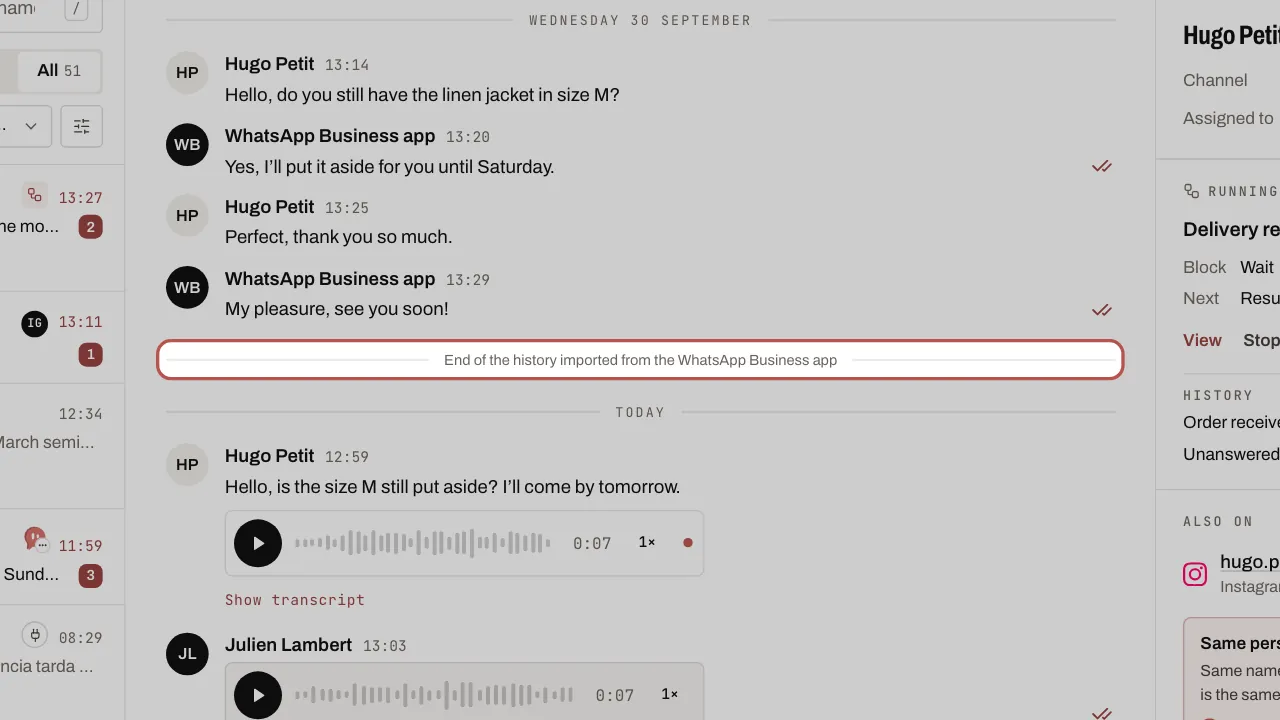
- Your replies from the phone: they also appear in WYP.chat, under the name WhatsApp Business app.
What WYP.chat brings in
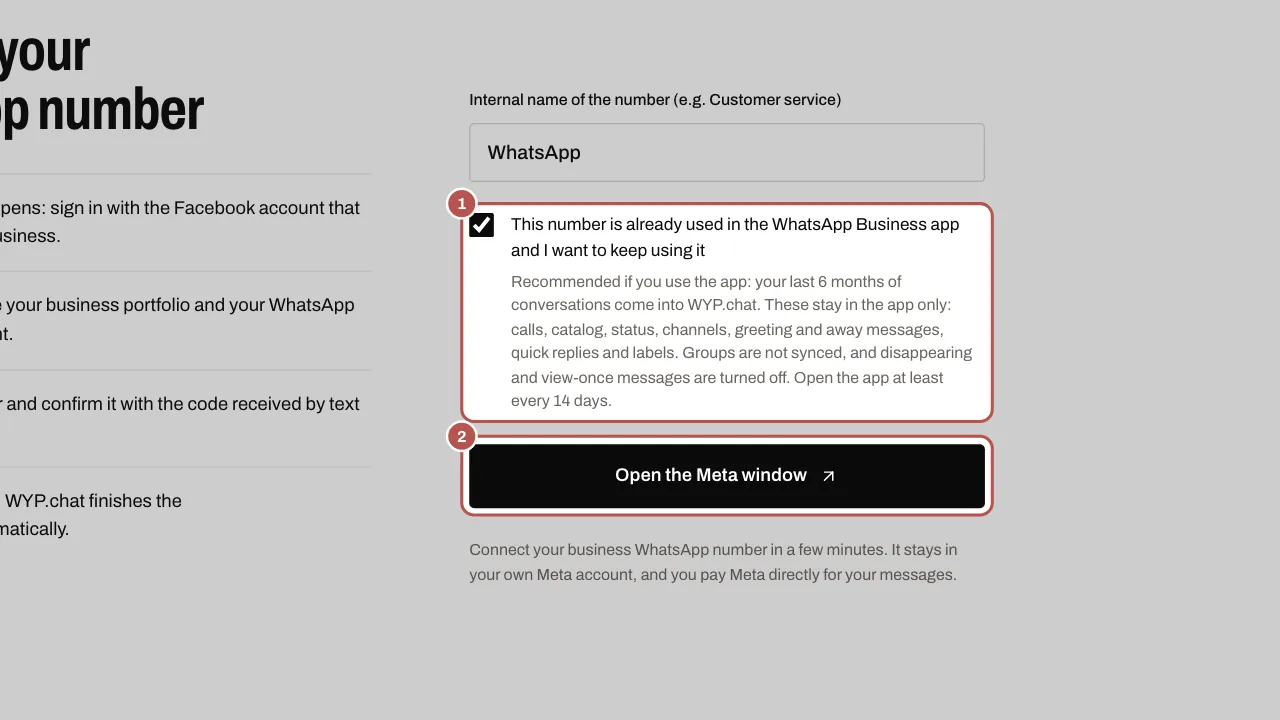
- Your last 6 months of conversations, if you agree to share them while connecting. Meta only passes on the content of photos, videos and documents from the last 14 days.
- Your contact book, with the names you gave your contacts.
The conversations brought in arrive closed, with no unread messages and no notifications. A line separates them from new messages.
Turn on coexistence
- Open Settings › Channels, click Add a channel, then the WhatsApp card. The first time, confirm the prohibited sectors attestation first (see Connect your WhatsApp Business number).
- Tick This number is already used in the WhatsApp Business app and I want to keep using it, then click Open the Meta window.
- In the Meta window, choose your number, then scan the code shown with the WhatsApp Business app on your phone.
- Accept history sharing in the app. WYP.chat starts bringing it in straight away.
What changes in the app
- Broadcast lists, disappearing messages, view-once media and live location are no longer available. To write to many customers, use WYP.chat Campaigns (every plan, in credits on the Free plan).
- Groups stay in the app but do not come into WYP.chat.
- WhatsApp Web and other linked devices are disconnected: link them again from the app. WhatsApp for Windows and WearOS watches are no longer supported as linked devices.
What you pay Meta
- Messages sent from the WhatsApp Business app stay free.
- Messages sent from WYP.chat follow Meta’s rules: free replies up to 1,000 per month per number, templates charged. See What you pay Meta on WhatsApp.
- A customer who wrote to you just before you connected has not opened the 24-hour window in WYP.chat: reply from the app, or with a template. Their next message opens it.
One rule to remember
Open the WhatsApp Business app at least once every 14 days. Otherwise, Meta detaches the number from WYP.chat and you have to reconnect it. WYP.chat warns you if this happens.
Related articles
- Connect your WhatsApp Business number Until Meta approves WYP.chat, our team sets up this connection with you. The steps below describe it.
- Write to a customer after 24 hours After 24 hours without a message from the customer, WhatsApp only lets you send a template it has approved.
- What you pay Meta on WhatsApp Meta charges your own card directly for WhatsApp messages beyond its free allowances. Rules, October 2026 rates for the UK, France and Spain, examples.